Apple responds to Microsoft’s ton of “choosing the right PC” ads with one new “Get a Mac” ad that strikes them all. In the ad below, new character Megan just wants a computer that’s virus and headache free, check it out, its absolutely brilliant stuff!
Showing posts with label Apple. Show all posts
Showing posts with label Apple. Show all posts
Sunday, May 10, 2009

Friday, May 1, 2009
Free Swine Flu Tracker app for iPhone geeks

Although we published a way to track online the movement of the Swine flu pandemic using Google Maps a few days ago, it is by no means the only way to follow news of the new H1N1 virus and its spread. Tech savvy, or more specifically iPhone (and iPod Touch) users, will soon be able to download an app called the Swine Flu Tracker off the App Store. While, it is still currently in queue to be approved by Apple, there is no doubt that the developer IntuApps will be quickly credited by popularity for creating this app amongst all the Swine flu craze.
Using this Swine Flu Tracker app, you will be able to see the current threat level for the disease, other features include a map showing confirmed and suspected cases. The app also tells you the symptoms you would get if you were to have the flu and there’s also an alert page for breaking news regarding Swine Flu.

While it is true that regular winter flu has always had a much more higher mortality rate (at least compared to Swine flu so far), all the hype should not be underestimated due to the fact that H1N1 is something relatively new and that the last outbreak was over 40 years ago. Though the trouble it has caused outside of Mexico seems minimal at the moment, we reckon once this Swine Flu Tracker app is out, it should prove to be useful for those who are required to travel frequently. We do wonder however, what the next tech savvy tool to capitalise on this viral outbreak could be, who knows, we’ll keep you posted.
Using this Swine Flu Tracker app, you will be able to see the current threat level for the disease, other features include a map showing confirmed and suspected cases. The app also tells you the symptoms you would get if you were to have the flu and there’s also an alert page for breaking news regarding Swine Flu.
While it is true that regular winter flu has always had a much more higher mortality rate (at least compared to Swine flu so far), all the hype should not be underestimated due to the fact that H1N1 is something relatively new and that the last outbreak was over 40 years ago. Though the trouble it has caused outside of Mexico seems minimal at the moment, we reckon once this Swine Flu Tracker app is out, it should prove to be useful for those who are required to travel frequently. We do wonder however, what the next tech savvy tool to capitalise on this viral outbreak could be, who knows, we’ll keep you posted.
Monday, April 27, 2009
New musical synthesizer app for iPhone and iPod Touch
For those who liked musical synthesizer apps such as the MiniSynth developed by Yonac, comes its "big brother" - MegaSynth, compatible with both iPhone and iPod Touch. MegaSynth is a fully-featured analog modeling synthesizer, it is packed with a number of features that its "younger brother" did not support. With its 3 true-analog-modeling VCOs, 5-note polyphony, dedicated LFOs, built-in sequencer, arpeggiator/chordmaker and recording feature. MegaSynth is packed with the necessary digital technology to deliver a complete mobile synthesizer package that compromises none of that classic, luscious analog synth tone. Yonac Software Releases MegaSynth, Premier Synthesizer for iPhone and iPod Touch From the creators of miniSynth comes its long-awaited “big brother.” MegaSynth brings together several innovative features to make it the definitive synthesizer for iPhone and iPod Touch. (New York, NY – April 18, 2008)
Yonac Software is pleased to announce the release of MegaSynth. Following the success of the company’s analog-modeling miniSynth, the developers have worked hard to create a synth that utilizes the capabilities of the iPhone to the utmost. It combines several features to offer one of the most creative and powerful synthesizers available for the iPhone and iPod Touch.MegaSynth utilizes several features to empower the musician including: • 5-voice polyphony • 3 oscillators with 7 waveforms each • Configurable triad arpeggiator and chordmaker with 23 musical scales • 24-note step sequencer • Accelerometer-controlled pitch, cutoff and resonance • 4 LFOs • Noise generator • Oscillator syncing • Recording; audio file import/export via Wi-Fi connection • Infinite user presets • 209 factory sounds • Reverb and modulation effects
“We’ve worked hard for many months to produce a synth that caters to sonic exploration,” says CEO and MegaSynth head designer James Yonac. “MegaSynth’s features will have synth lovers drooling, yet those new to synthesizers will find the intuitive interface easy to navigate. It is sure to inspire many new musical compositions.”
MegaSynth is now available at the Apple iTunes app store for $4.99. Yonac Software was founded in New York City in 2008. The company mainly focuses on the development of music and sound related software. In September 2008, they released the hugely successful miniSynth, the app store’s first synthesizer. Yonac’s other iPhone applications include TuneORama, an easy-to-use guitar tuner, and Thereminator, a touch screen theremin.
Saturday, April 4, 2009
DIY: Eddie Zarck teaches you how to make your own MacBook logo LCD mod

Remember the really cool MacBook logo LCD mod done by Eddie (EdsJunk)? Eddie has now unveiled how he did it, in fact, he has now revealed a tutorial to doing it in the comfort of your own home, though you will need to have bought a small LCD monitor / screen and some solder to do this mod. This could be an excellent DIY project for this weekend for anyone who was interested in incising their MacBooks
Monday, March 30, 2009
Apple netbook: MacBook Mini via Russians

Is this the real deal? We have absolutely no idea whether this is just another photoshop mock up calling it the MacBook Mini. Mind you, April Fools is coming up! These are spyshots of what is allegedly the Apple netbook which we have all been waiting for, they were leaked and printed in a Russian magazine. What’s more is that the specs revealed showed no signs of on board 3G wireless connectivity, that’s odd for a netbook these days. Inside the supposed MacBook mini, there’s a 10.4″ screen with a 1,280×768 screen that handle HD videos. There’s also an Atom processor, 2 GB of RAM, WiFi, running Geforce 9400M, bluetooth, a 64GB solid state drive for storage, a USB port and a Mini DisplayPort. We haven’t received any other news as of now, should this be filed into the “another concept idea archive”, what do you think?

Saturday, March 14, 2009
Apple iPhone firmware OS 3.0 event announced - March 17

Some exciting news today folks, Apple have just announced that a special event will be held on March 17 (in just five days!) at 10am PST (1pm EST). Its expected that Apple will be showing off the latest version of the iPhone OS firmware version 3.0 along with a brand new updated SDK (software development kit).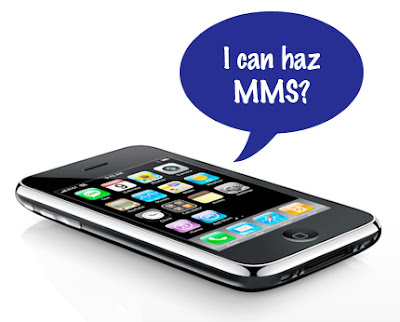
So far, the news has been that MMS will finally be coming to the iPhone, in addition tethering via bluetooth and USB have also been suggested! I’m sure there will be many more to be revealed on that day, its now just a matter of how much info gets leaked. We expect to see something exciting with this new version of OS, wonder what Apple has in store for everyone!?
Monday, February 23, 2009
How to install and run Mac OS X on Dell Mini 9 netbook

There isn’t yet a netbook from Apple at the moment and as you will be able to recall on the post in which we wrote about netbooks which were capable of running Mac OS X, only the Dell Mini 9 and MSI Wind achieved full scores. That’s why there is now a proper guide released from Gizmodo showing you how you could install and run Mac OS X on your Dell Mini 9 and hackintosh it into a proper Mac netbook (or mini MacBook?). So before you get started, you will need to make sure you have the following.
Dell Mini 9 With 16GB SSD or higher (8GB SSDs will techincally work, but it will take some fiddling not covered by this guide)
Retail copy of OS X 10.5.x (NOT an OEM copy that comes with a new Mac)
A USB flash drive 8GB or higher
An external USB DVD drive
The “Type11″ Bootloader: DellMiniBoot123v8.01.iso.zip (download link in this forum post)
Blank CD to burn bootloader image (I actually used version 8.0 of Type11 on my CD-if your boot process with 8.01 is different than what’s spelled out in this guide, you can download 8.0 here. Both should work.)
Windows PC for preparing the flash drive (if DVD drive works fine, this is optional)
As you can see this guide does require you to already have purchased a few things, it’s advisable to have the 16GB SSD version rather than the 8GB SSD Mini 9 which we featured recently in our review. You will also need to have a retail copy of Mac OS X and not the one you got given when you purchased a Mac.
Sunday, February 22, 2009
Stealthier Mac Attacks

A new technique lets hackers targeting Apple's OS X cover their tracks more effectively.Fans of Apple computers often boast about superior security. But as Macs have gained in popularity over the past few years, this has brought much more attention from hackers. At a presentation scheduled to take place today at the Black Hat DC computer-security conference in Washington, DC, one security expert will reveal a technique for attacking the Mac operating system--OS X--without leaving a trace.
Similar techniques have targeted both Windows and Linux machines for several years. They allow an attacker to cover her tracks, eliminating vital evidence that an investigator might normally use to prove that a machine has been compromised; they might also allow the investigator to put together details of the incident. Bringing the technique to the Mac, however, required a significantly more sophisticated approach.
The technique that will be outlined at Black Hat DC allows an attacker to remove virtually all trace of an attack against OS X, after compromising the system using another exploit.
Vincenzo Iozzo, a student at the Politecnico di Milano, in Italy, explains that the technique allows an attacker to break into a machine without leaving a trace in its permanent memory, which means that evidence of the attack will disappear as soon as the victim's computer is turned off. Such a technique could be used, for example, in combination with another software flaw to covertly replace a legitimate version of Apple's Safari Web browser with a malicious one that logs the user's keystrokes and sends them to the attacker.
Normally, when a user runs an application, the code runs in various parts of the computer's memory. In OS X, a file format called Mach-O is used to specify where in the computer's memory the application's processes should run. Iozzo studied the Mach-O file format in order to predict in advance where these processes could be found. The technique identifies an active process (such as that for Safari) and injects malicious code into the space in memory where it is running. When the system reads from the expected location, it executes the attacker's code instead of the legitimate program. Since the technique leaves no trace, Iozzo says that it can only be detected using software that watches for intrusions on a network.
Predicting where to inject the malicious code is made more difficult by a security feature in OS X that stores the variables needed to keep the attack untraceable in random locations within memory. However, Iozzo discovered a way to anticipate where the variables would be stored based on pieces of information that remain unchanged.
Dino Dai Zovi, an independent security researcher who specializes in Macs, says that Iozzo's work is "very interesting," particularly given the difficulties that he needed to overcome to make the stealthy technique work on OS X.
Dai Zovi says that, for now, there are few Mac attacks sophisticated enough to need protection of this kind. But he adds that the technique could prove an effective way to get past advanced antivirus software in the future.
Attackers haven't focused much on the Mac to date because its smaller audience means smaller potential gains. But Dai Zovi notes that this is starting to change, and he says that researching the system's vulnerabilities now should give defenders time to prepare for future malware.
Iozzo says that it may take time for Apple to respond to his technique because it exploits fundamental elements of the operating system's structure that can't be changed with a simple software patch. He says that it may require a larger upgrade, such as the introduction of the new version of OS X, called Snow Leopard, which is scheduled to ship in 2010.
In the meantime, Iozzo says that users can protect themselves by keeping their systems up to date with any security patches released for OS X. Since the technique relies on other flaws that an attacker might exploit, users should focus on reducing those other threats as much as possible, he says.
However, the technique could soon pose a threat to another kind of device. Iozzo says that he is currently working with another security researcher to extend his technique to the iPhone.
Wednesday, February 4, 2009
TOSHIBA'S ULTRA THIN IPHONE KILLER TG01 TOUCH SCREEN PHONE

Looks like Toshiba also wants to be apart of the touchscreen phone gang. Completely out of the blue? Well, no. It appears Toshiba has been working on it and to reveal their latest TG01 ahead of the upcoming Mobile World Congress also seems like a plan so that everyone will have had it stuck in their heads and thinking about it even before seeing all the new tech other brands will have to offer at the world congress.
 An obvious iPhone killer? That too. Toshiba has managed to pack a 4.1″ QVGA screen, microSD support, 1Ghz processor, aGPS, WiFi, HSDPA, and other goodies like DiVX and Flash support into a 9.9mm thick shell. Much of which Apple hasn’t managed to do. I’m sure we’ll hear more details and specs on the TG01 very soon.
 The excellent link from T3 below also compares the latest TG01 with the benchmark iPhone and also Palm Pre, quite interesting, check it out if you have some spare time!
Sunday, January 25, 2009
iPhone gets a touch screen rival
 Ever since Apple changed mobiles forever with the launch of its iPhone, the rest of the industry has been playing catch up.Now, one of its biggest rivals in the market, Nokia, claims to have done just that.Released on 23 January, its 5800 XpressMusic is the company's first touch screen phone.Costing almost £100 less than the iPhone, it could start a price war.But at £250 it's still not cheap and the big question is - is it good enough to take on Apple?Newsbeat listeners Sophie Reed and Nik Williams got a sneak preview and gave us their thoughts.
Screen size
Sophie's first impression wasn't good but it did improve.
She said: "When I got the phone I thought it was quite hard to use - the screen is smaller than the iPhone - but I've had it a couple of weeks now and I've gotten used to it.
Sophie thinks the screen on the 5800 could be bigger
"You can view pictures, go on the internet and connect to any wi-fi that's available."

The 5800 has got 8G of memory, meaning it can hold around 6000 songs.
And Sophie reckons that's one of its best features.
"I think it's really good as a music player. I just got loads of songs from my computer, put them all on there and the quality when you play it out, either through headphones or its speakers, is really good," she said.
Pointer pen
Style wise the 5800 is slightly thicker than its rival and has a smaller screen - 3.2 inches compared to 3.5 for the iPhone.
She said: "It's a bit chunky but because it's got a big screen it looks quite good. But I think the iPhone looks cooler really because it's thinner and looks more modern."
Although it uses similar touch technology to the iPhone, the 5800 comes with a plastic pointer pen that makes it easier to use than just with fingers.
Nik isn't so keen on the idea of a pointer pen with the 5800
But Nik reckons the pen takes away from the whole point of having a touch-sensitive screen.
He said: "It just seemed so fiddly to use with your fingers.
"You either missed what you were trying to hit or ended up touching the wrong part of the screen or internet link and ending up not getting to where you wanted to be."
So overall?

Sophie said: "It's a good phone, and cheaper than the iPhone. But I don't think it's as good because the iPhone has a bigger screen and seems to have more to it."
Nik said: "It's got some pretty cool features but ultimately, for me, Apple has just set the bar so high with the iPhone that the 800 XpressMusic doesn't come close."
Saturday, January 24, 2009
APPLE'S FIRST MACINTOSH TURNS 25

MSN UK's technology editor Jane Douglas, who also turned 25 this year, pits her PC against an early MacThe Macintosh - the first Apple computer to bear the name - turns 25 on 24 January.The machine debuted in 1984 and kicked off a product line that were Apple's flagship computers for many years.The Macintosh helped popularise the combination of graphical interface and mouse that is ubiquitous today.The machine was unveiled using a hugely expensive TV advert, directed by film maker Ridley Scott and shown during the US Superbowl on 22 January 1984
Desktop pioneer
The project to create the Macintosh was started by legendary computer maker Jef Raskin and the original machine had a 9in screen in an upright beige case, 128k of RAM, internal floppy drive, and came with keyboard and single-button mouse.Apple had previously produced computers using a graphical user interface (GUI), such as the Apple Lisa. But those machines cost far more than the original Macintosh.Although Microsoft had launched its operating system - MS DOS - in 1981 it was not until 1985, a year after the Macintosh made its debut, that it introduced its own GUI, Microsoft Windows. However, this did not enjoy significant popularity until the advent of Windows 3.x in 1990The Macintosh's relatively low price tag of £1,840 ($2,495) made it very affordable, said Mark Hattersley, editor in chief of Macworld UK. "It was a hugely popular machine," said Mr Hattersley."It took desktop computing away from IBM and back to Apple for a good number of years," he said. "It brought the notion of the desktop graphical interface to the mass market." The "Macintosh" moniker was reportedly taken from the name of Mr Raskin's favourite Apple - the McIntosh.However, this form of the name had to be altered to avoid legal wrangles with another company already trading under that name. Once successors to the first Macintosh were introduced by Apple, the original machine was re-badged as the 128k version.The initial production run of the first Macintosh reputedly have the signatures of the design team burned in to the inside of the case.In the UK, science-fiction author author Douglas Adams was the first to buy one of the original Macintosh machines. Second in line was Stephen Fry.Sadly, he said, he no longer possesses the early machine.
He told the BBC: "Oh I wish I still had it. I remember giving it away in 1986 to a primary school in a village in Norfolk."Apple has retained the Macintosh name for many of its products - in particular the shortened form re-emerged in 1998 with the launch of the iMac.
The Macintosh name re-appeared with the iMac in 1998Jason Fitzpatrick, from the Centre for Computing History in Haverhill, said that it was now hard to find a working 25-year old Macintosh. Many, he said, have suffered what is known as "bit rot" in which the memory chips inside the machine decay, leading to a gradual loss of functionality.Kevin Murrell, director of the National Museum of Computing at Bletchley Park, said it had many working Apple machines even older than the 25-year-old Mac.
Swap shop
Even new, he said, the Macintoshes had their quirks. The external hard drive available for later versions of the Macintosh had to be placed on the left side of the machine to avoid interference with its power supply. The lack of hard drive meant that anyone working with the machine had save everything on a floppy disk, leading to an awful lot of disk swapping.But despite this, he said, many people had very fond memories of the time they spent with an original Macintosh.
Subscribe to:
Posts (Atom)


